Showing posts with label testing for beginners. Show all posts

Thursday, 19 April 2012

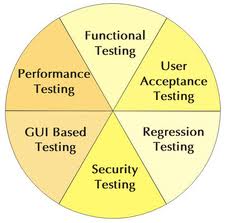
Software Testing Types


  • Black box testing – Internal system design is not considered in this type of testing. Tests are based on requirements and functionality.

  • White box testing – This testing is based on knowledge of the internal logic of an application’s code. Also known as Glass box Testing. Internal software and code working should be known for this type of testing. Tests are based on coverage of code statements, branches, paths, conditions.

  • Unit testing – Testing of individual software components or modules. Typically done by the programmer and not by testers, as it requires detailed knowledge of the internal program design and code. may require developing test driver modules or test harnesses.

  • Incremental integration testing – Bottom up approach for testing i.e continuous testing of an application as new functionality is added; Application functionality and modules should be independent enough to test separately. done by programmers or by testers.

  • Integration testing – Testing of integrated modules to verify combined functionality after integration. Modules are typically code modules, individual applications, client and server applications on a network, etc. This type of testing is especially relevant to client/server and distributed systems.

  • Functional testing – This type of testing ignores the internal parts and focus on the output is as per requirement or not. Black-box type testing geared to functional requirements of an application.

  • System testing – Entire system is tested as per the requirements. Black-box type testing that is based on overall requirements specifications, covers all combined parts of a system.

  • End-to-end testing – Similar to system testing, involves testing of a complete application environment in a situation that mimics real-world use, such as interacting with a database, using network communications, or interacting with other hardware, applications, or systems if appropriate.

  • Sanity testing - Testing to determine if a new software version is performing well enough to accept it for a major testing effort. If application is crashing for initial use then system is not stable enough for further testing and build or application is assigned to fix.

  • Regression testing – Testing the application as a whole for the modification in any module or functionality. Difficult to cover all the system in regression testing so typically automation tools are used for these testing types.

  • Acceptance testing -Normally this type of testing is done to verify if system meets the customer specified requirements. User or customer do this testing to determine whether to accept application.
  • Load testing – Its a performance testing to check system behavior under load. Testing an application under heavy loads, such as testing of a web site under a range of loads to determine at what point the system’s response time degrades or fails.

  • Stress testing – System is stressed beyond its specifications to check how and when it fails. Performed under heavy load like putting large number beyond storage capacity, complex database queries, continuous input to system or database load.

  • Performance testing – Term often used interchangeably with ’stress’ and ‘load’ testing. To check whether system meets performance requirements. Used different performance and load tools to do this.

  • Usability testing – User-friendliness check. Application flow is tested, Can new user understand the application easily, Proper help documented whenever user stuck at any point. Basically system navigation is checked in this testing.

  • Install/uninstall testing - Tested for full, partial, or upgrade install/uninstall processes on different operating systems under different hardware, software environment.

  • Recovery testing – Testing how well a system recovers from crashes, hardware failures, or other catastrophic problems.

  • Security testing – Can system be penetrated by any hacking way. Testing how well the system protects against unauthorized internal or external access. Checked if system, database is safe from external attacks.

  • Compatibility testing – Testing how well software performs in a particular hardware/software/operating system/network environment and different combination of above.

  • Comparison testing – Comparison of product strengths and weaknesses with previous versions or other similar products.

  • Alpha testing – In house virtual user environment can be created for this type of testing. Testing is done at the end of development. Still minor design changes may be made as a result of such testing.

  • Beta testing – Testing typically done by end-users or others. Final testing before releasing application for commercial purpose.

Agile Development


  • Agile methods break tasks into small increments with minimal planning, and do not directly involve long-term planning
  • Iterations are short time frames (timeboxes) that typically last from one to four weeks. .
  • Each iteration involves a team working through a full software development cycle including planning,requirements,analysis, design, coding, unit testing, and acceptance testing when a working product is demonstrated to stakeholders
  • This minimizes overall risk and allows the project to adapt to changes quickly.
  • Used for time-critical applications.

Wednesday, 18 April 2012

Rapid Application Development Model (RAD Model)


  • The main objective of Rapid Application Development is to avoid extensive pre-planning, generally allowing software to be written much faster and making it easier to change requirements.
  • Rapid Application Development Model (RAD Model) is a linear sequence of the software development process model where we focus a very short development cycle by using a component based construction approach.
  • When organizations adopt rapid development methodologies, care must be taken to avoid role and responsibility confusion and communication breakdown within the development team, and between the team and the client.
  • To facilitate rapid development, strong emphasis was placed on the idea of software re-use. The notion of software components began to be nurtured.
ADVANTAGES
  • It increases speed of developing software. It can be achieved using methods like rapid prototyping, virtualization of system related routines, the use of CASE tools and other techniques.
  • Re-usability of components help to speed up development.
    It increases the quality.
  • Some systems also deliver advantages of interoperability, extensibility, and portability.
    It incorporates short development cycles.
  • Promotes strong collaborative atmosphere and dynamic gathering of requirements.
DISADVANTAGES
  • Unknown cost of product.
  • Difficult to commit the time required for success of the RAD process.
  • Short iteration may not add enough functionality, leading to significant delays in final iterations.
  • Early RAD systems faces reduced scalability occurs because a RAD developed application starts as a prototype and evolves into a finished application.
  • Early RAD systems have reduced features that occur due to time boxing, where features are pushed to later versions in order to finish a release in a short amount of time.
  • Dependency on strong cohesive teams and individual commitment to the project.

Spiral Model


  • The spiral model is similar to the incremental model, with more emphases placed on risk analysis. The spiral model has four phases: Planning, Risk Analysis, Engineering and Evaluation. A software project repeatedly passes through these phases in iterations (called Spirals in this model). The baseline spiral, starting in the planning phase, requirements are gathered and risk is assessed. Each subsequent spirals builds on the baseline spiral.
  • Requirements are gathered during the planning phase. In the risk analysis phase, a process is undertaken to identify risk and alternate solutions. A prototype is produced at the end of the risk analysis phase.
  • Software is produced in the engineering phase, along with testing at the end of the phase. The evaluation phase allows the customer to evaluate the output of the project to date before the project continues to the next spiral.
  • In the spiral model, the angular component represents progress, and the radius of the spiral represents cost.
Advantages
  • High amount of risk analysis
  • Good for large and mission-critical projects.
  • Software is produced early in the software life cycle.
Disadvantages
  • Can be a costly model to use.
  • Risk analysis requires highly specific expertise.
  • Project’s success is highly dependent on the risk analysis phase.
  • Doesn’t work well for smaller projects.


Sunday, 15 April 2012

What Is Prototype Model


          Advantages of Prototyping Model
    • Prototyping model starts with requirements gathering.The basic idea here is that instead of freezing the requirements before a design or coding can proceed, a throwaway prototype is built to understand the requirements. Prototyping is an attractive idea for complicated and large systems for which there is no manual process or existing system to help determining the requirements.
    • Prototype is generally developed at the cost of the developer and not at the cost of the client.
    • A prototype is developed using prototyping tools such as scripting languages or Rapid Application Development.
    • Prototyping is generally required to obtain user interface requirements.
    • Disadvantages of Prototyping Model
    • It is good for developing software for users who are not IT-literate.
    • Errors can be detected much earlier as the system is mode side by side.
    • Quicker user feedback is available leading to better solutions.
    • Reduced time and costs.
    • Development cost is borne by the developer.
    • Customer could believe the prototype as the working version.
    • Users can begin to think that a prototype, intended to be thrown away, is actually a final system that merely needs to be finished or polished.
    • Expense of implementing prototyping.

        Friday, 13 April 2012

        What Is Incremental Model


        • Construct a partial implementation of a total system
        • Then slowly add increased functionality
        • The incremental model prioritizes requirements of the system and then implements them in groups.
        • Each subsequent release of the system adds function to the previous release, until all designed functionality has been implemented.
        Incremental Model Strengths
        • Develop high-risk or major functions first
        • Each release delivers an operational product
        • Lowers initial delivery cost
        • Risk of changing requirements is reduced
        Incremental Model Deficiencies
        • Requires good planning and design
        • Well-defined module interfaces are required
        • Total cost of the complete system is more.
        When to use the Incremental Model
        • Reduce risk by developing in Increments and getting client approvals
        • Most of the requirements are known before hand but are expected to develop over several iterations
        • A need to get basic functionality to the market early
        • On projects which have lengthy development schedules
        • On a project with new technology where end results are not completely understood

        Wednesday, 11 April 2012

        When Start or Stop Testing?


          Start Testing-When?
        • Testing starts right from the requirements phase and continues till the end of SDLC
        • Objective of starting early: Requirements related defects caught later in the SDLC result in higher cost to fix the defect.

          Stop Testing – When?
        • Test cases executed with acceptable percentage of defects
        • Project Deadlines e.g. release deadlines, testing deadlines
        • Test budget has run out
        • Coverage of code, functionality or requirements reaches to specific point.
        • Bug rate falls below acceptable level
        • Beta and Alpha testing has been completed


        Saturday, 7 April 2012

        Goals of Testing process


        Validation testing

        • To demonstrate to the developer and the system customer that the software meets its requirements;
        • A successful test shows that the system operates as  intended.

        Defect testing

        • To discover faults or defects in the software where its behaviour is incorrect or not in conformance with its specification;
        • A successful test is a test that makes the system perform incorrectly and so exposes a defect in the system. 

        Friday, 6 April 2012

        What is System testsing


        1 . Test the login mechanism using correct and incorrect logins to check that valid users are accepted and  invalid users are rejected.
        2 . Test the search facility using different queries against known sources to check that the search mechanism is actually finding documents.
        3 . Test the system presentation facility to check that information about documents is displayed properly.
        4. Test the mechanism to request permission for downloading.
        5 . Test the e-mail response indicating that the downloaded document is available.


        Testing Techniques


        • White Box Testing
        • Black Box Testing
        • Gray Box Testing

        White Box Testing:
        • Also known as glass box, structural, clear box and open box testing.
        • A software testing technique whereby explicit knowledge of the internal workings of the item being tested are used to select the test data. Unlike black box testing, white box testing uses specific knowledge of programming code to examine outputs.
        • The test is accurate only if the tester knows what the program is supposed to do. He or she can then see if the program diverges from its intended goal.
        Black Box Testing:
        Also known as functional testing. A software testing technique whereby the internal workings of the item being tested are not known by the tester. For example, in a black box test on software design the tester only knows the inputs and what the expected outcomes should be and not how the program arrives at those outputs. The tester does not ever examine the programming code and does not need any further knowledge of the program other than its specifications.

        Black Box Testing Techniques
            • Boundary Value Analysis: This is a technique used to minimize the test cases.It checks for the corner cases,One value greater than the maximum and one value less than the minimum.
           • Equivalence Partitioning: This is another technique for restricting the test cases. Here test data is  divided into valid and invalid classes and both the classes are tested.
          • Error Guessing: The use of past experience and an understanding of the weaknesses of human  developer

        Gray Box Testing :
        • Grey box testing is the combination of black box and white box testing. Intention of this testing is to find out defects related to bad design or bad implementation of the system.
        • in gray box testing, test engineer is equipped with the knowledge of system and designs test cases or test data based on system knowledge.

        Thursday, 5 April 2012

        Software quality


        • SQA: Software Quality Assurance
        • SQC: Software Quality control

        • SQA:”The Monitoring & Measuring the strength of development process is called SQA.”
        • SQC: “The Validation of final product before release to the customer is called SQC.”

          SQA (Software Quality Assurance)
        • Quality assurance activities are work process oriented.
        • Attempts defect prevention by concentrating on the process
        • The direct results of these activities are changes to the process.
        • Defect Prevention activity.

          SQC (Software Quality Control)
        • Quality control activities are work product oriented.
        • Attempts to test a product after it is built.
        • The direct results of these activities are changes to the product.
        • Defect-detection and defect-correction oriented.

        Wednesday, 4 April 2012

        PDCA LIFE CYCLE


        PLAN
        Establish the objectives and processes necessary to deliver results in
        accordance with the expected output.
        DO
        Implement the new processes. Often on a small scale if possible,
        to test possible effects.

        CHECK
        Measure the new processes and compare the results against the
        expected results to ascertain any differences.

        ACT
        Analyze the differences to determine their cause. Each will be part of
        either one or more of the P-D-C-A steps.


        Friday, 30 March 2012

        VV Model


          WHAT IS VV MODEL
        • This Model is called a Verification and Validation Model.
        • Advantages of VV - Model
        • Simple and easy to use.
        • Each phase has specific deliverables.
          Disadvantages of VV- Model
        • Very rigid, like the waterfall model.
        • Model doesn’t provide a clear path for problems found during testing phases.

          WHAT IS VERIFICATION
        • Disciplined approach to evaluate whether a software product fulfills the requirements or conditions imposed on them.
        • Are we doing the job right?
        • Also called as static testing.
        • Methods For Verification
          1.Walkthrough
        • Meeting led by author
        • Open-ended sessions
        • To establish a common understanding of the document
          2.Inspection
        • Led by trained moderator (not the author)
        • Remove defects efficiently, as early as possible;
        • Pre-meeting preparation
          3.Technical Review
        • It is often performed as a peer review without management participation
        • Ideally it is led by a trained moderator, but possibly also by a technical expert.

          WHAT IS VALIDATION
        • Disciplined approach to evaluate whether the final, as built software
        • Product fulfills its specific intended use
        • Are we doing the right job?
        • Also called as dynamic testing.
          Methods used are:
        • Unit testing
        • Integration testing
        • System testing
        • User Acceptance Testing
          1.Unit Testing
        • Unit - smallest testable piece of software.
        • Unit testing is process of testing the smallest/ individual component of program.
        • Typically done by the developers and not by testers.
          2.Integration Testing
        • Integration is a process of combining and testing multiple components together.
        • Considered interfaces on system
          Approaches:
        • Bottom Up
        • Top Down
        • Critical Part First/hybrid
        • Big Bang approach
          3.System Testing
        • System testing is the testing of a finally integrated product for compliance against user requirements.
        • After development of all required modules, the development team releases a software build to be tested on the System Testing Environment.
          Usability Testing
        • Also called as accessibility testing
        • To check the ease of use for the user

        Thursday, 29 March 2012

        Difference between Manual and Automation Testing


          Difference between SDLC and STLC

        SDLC:- Software Development Life Cycle involves the complete Verification and Validation of a Process or a Project.
        • Software Development Life Cycle involves business requirement specifications,Analysis,Design,Software requirement specifications,Development Process(Coding and Application development),Testing Process(Preparation of Test Plan,Preparation of Test cases,Testing,Bug reporting,Test Logs & Test Reports),Implementation and Maintainence.

          STLC:-Whereas Software Testing Life Cycle involves only Validation.
        • Software Testing Life Cycle involves Preparation of Test Plan,Preparation of Test cases,Testing,Bug reporting,Test Logs & Test Reports.

        Difference between Manual and Automation Testing

        • Time consuming and tedious:- Since test cases are executed by human resources so it is very slow and tedious.
        • Huge investment in human resources:- As test cases need to be executed manually so more testers are required in manual testing.
        • Less reliable:- Manual testing is less reliable as tests may not be performed with precision each time because of human errors.
        • Non-programmable:- No programming can be done to write sophisticated tests which fetch hidden information.

          Automation Testing
        • Fast:- Automation runs test cases significantly faster than human resources.
        • Less investment in human resources:- Test cases are executed by using automation tool so less tester are required in automation testing
        • Programmable:- Testers can program sophisticated tests to bring out hidden information.

        Wednesday, 28 March 2012

        Difference between Waterfall Model and V Model


          Waterfall Model: It includes all phases of SDLC but the drawback is once requirement made freezed it cannot be changed.
        • Waterfall Model the tester role will take place only in the test phase
        • Waterfall madel is a fixed process u can't make any changes in the requirement or in any phase
        • waterfall model used only the requirements are fixed


          V-Model: In this model all phases will be done correspondently development and testing.
        • V-Model role will take place in the requirement phase itself
        • V-Model u can make any changes in the requirements
        • V-model is the simultaneous process but it is not in case of water fall model
        • V-model can be used for the any type of requirement(Uncertain requirement)

        Tuesday, 27 March 2012

        V-Model


            Many of the process models currently used can be more generally connected by the V-model where the “V” describes the graphical arrangement of the individual phases. The “V” is also a synonym for verification and validation
          • software requirements specification (SRS):- is a comprehensive description of the intended purpose and environment for software under development. The SRS fully describes what the software will do and how it will be expected to perform.
          • HLD:-High Level design - quite functional - contains functional test cases or guidelines for test cases - Review of AD - Review comments implemented till sign off by the stake holders ( client side / consultant side )
          • LLD:- Detail Level design - quite technical as well - Man-hours required is estimated and mentioned - contains functional & technical unit test cases - Review of DD - Review comments implemented till sign off by the stake holders ( client sides )
          • Development:- Coding by the developers as per the detail design -
          • Unit Testing:- is done in Development Server by the developer to ensure that program works as per the detail design - add / implement test case results - transport request details & documentation in detail design - Evidence is attached. Code Review to ensure that coding is as per the coding standards ( performance related as well ) - Also check the test cases and verify - Review comments implemented till sign-off by the stake holders. Before Application testing the realted chunk of work is transported to QA Server.
          • Integration Testing:- This is to ensure that programs work along with other components, that might get affected. e.g. Even the Invoice process should be tested if a change is made in the interface related with a PO creation / change. The test cases or created separately ( more functional in nature and considers dependency of components ). Before implementation of the release, the complete product needs to be tested to ensure that it can bear the maximum load of a production environment.
          • System Testing:- is performed with huge datasets to check if system / product can handle production scenario in terms of memory and performance.
          • User Acceptance:- Any further problems will be solved as Bug-fix or and enhancments will be carried out as a part of change request.

        Thursday, 22 March 2012

        Waterfall Model


        • The waterfall or the liner sequential model illustrates a sequential systematic application, which start with analysis and progresses through each stage to testing and maintainance.
        • Analysis
        • Design
        • Implementation & Unit Testing:
        • Testing
        • Deployment
        • Requirements analysis: This first step is also the most important, because it involves gathering information about what the customer needs and defining, in the clearest possible terms
        • Design: Before a starting for actual coding, it is highly important to understand what we are going to create and what it should look like?
        • Implementation & Unit Testing: The system is first developed in small programs called units, which are integrated in the next phase. Each unit is developed and tested for its functionality.
        • Testing: After developers are done with coding and provide final build to testers,testing starts in this phase.
        • Deployment: After testing is done and software is released it is then deplyed in customer environment.

        Wednesday, 21 March 2012

        Software Development Life Cycle (SDLC)


        • It is used to develop the software systematically.
        • The six stages of SDLC process are
        • Requirement Gathering
        • Analysis.
        • Design
        • Development
        • Testing
        • Implementation & Maintainance
        • Requirement gathering –
        In this phase Business Analyst will gather all the information from the customer and prepare Business Requirement Specification (BRS).
        • Analysis –
        The Features and the functions that need to be put in the project are determined. Senior Business Analyst will prepare System Requirement Specification (SRS) documents.
        • Design –
        This is done by the Chief Architect; HLD and LLD are prepared. HLD: Defines the overall Hierarchy of the function i.e system architecture and design LLD: Defines the Internal logic of the project i.e. actual software components are implemented
        High Level Design (HLD)
        • List of modules and a brief description of each module.
        • Brief functionality of each module.
        • Interface relationship among modules
        • Database table identified along with key element.
        • Overall architecture diagrams along with technology details.
        Low Level Design (LLD)
        • Details functional logic of the module, in pseudo code
        • Database tables,with all elements, including their type and size
        • All dependency issues Error message Listings
        • Complete input and outputs for a module.
        • Development –
        Based on the design document, small modules are summed together and developed.
        • Testing –
        Testing phase is done by Test Engineers. Different types of testing are performed.
        • Implementation & Maintenance –
        Engineers with the coordination of Developer will install/Implement the developed application. The Testing/Maintenance team will suggest to change the software if necessary.


        Tuesday, 20 March 2012

        Testing Life Cycle


          • Requirement Stage
          • Test Plan
          • Test Analysis
          • Test Design
          • Test Construction and Verification
          • Test Execution and Bug reporting
          • Final Testing and Implementation
          • Post Implementation

          • Requirements Analysis
          • In this phase testers analyze the customer requirements
          • It is very important to start testing activities from the requirements phase itself because the cost of fixing defect is very less if it is found in requirements phase rather than in future phases

          • Test Planning
          • In this phase all the planning about testing is done like what needs to be tested
          • How the testing will be done
          • Test strategy to be followed
          • What will be the test environment
          • Hardware and software availability,resources,risk

          • Test Analysis
          • After test planning phase is over test analysis phase starts, in this phase we need to dig deeper into project and figure out what testing needs to be carried out in each SDLC phase.
          • Automation activities are also decided in this phase, if automation needs to be done for software product, how will the automation be done, how much time will it take to automate and which features need to be automated.

          • Test Design
          • In this phase various black-box and white-box test design techniques are used to design the test cases for testing, testers start writing test cases by following those design techniques
          • If automation testing needs to be done then automation scripts also needs to written in this phase.

          • Test construction and verification
          • In this phase testers prepare more test cases by keeping in mind the positive and negative scenarios, end user scenarios etc.
          • The test plan document should also be finalized and verified by reviewers.

          • Test Execution and Bug Reporting
          • The test cases are executed and defects are reported in bug tracking tool
          • Testing is an iterative process i.e. If defect is found and fixed, testing needs to be done after every defect fix.

          • Final Testing and implementation
          • In this phase the final testing is done for the software, non functional testing like stress, load and performance testing are performed in this phase

          • Post Implementation
          • The process review meeting's are done and lessons learnt are documented The test plan document should also be finalized and verified by reviewers.
          • A document is prepared to cope up similar problems in future releases.